Project Dashboard
The project dashboard shows all targets within a single project. After selecting a project from the Projects List, you land here.
Header
The header displays your project name, description, default branch badge, and a View on GitHub link (if a repository URL is configured).
Target Filter
Use the search bar to filter targets by name. The page shows a count of how many targets match your filter out of the total.
Target Cards
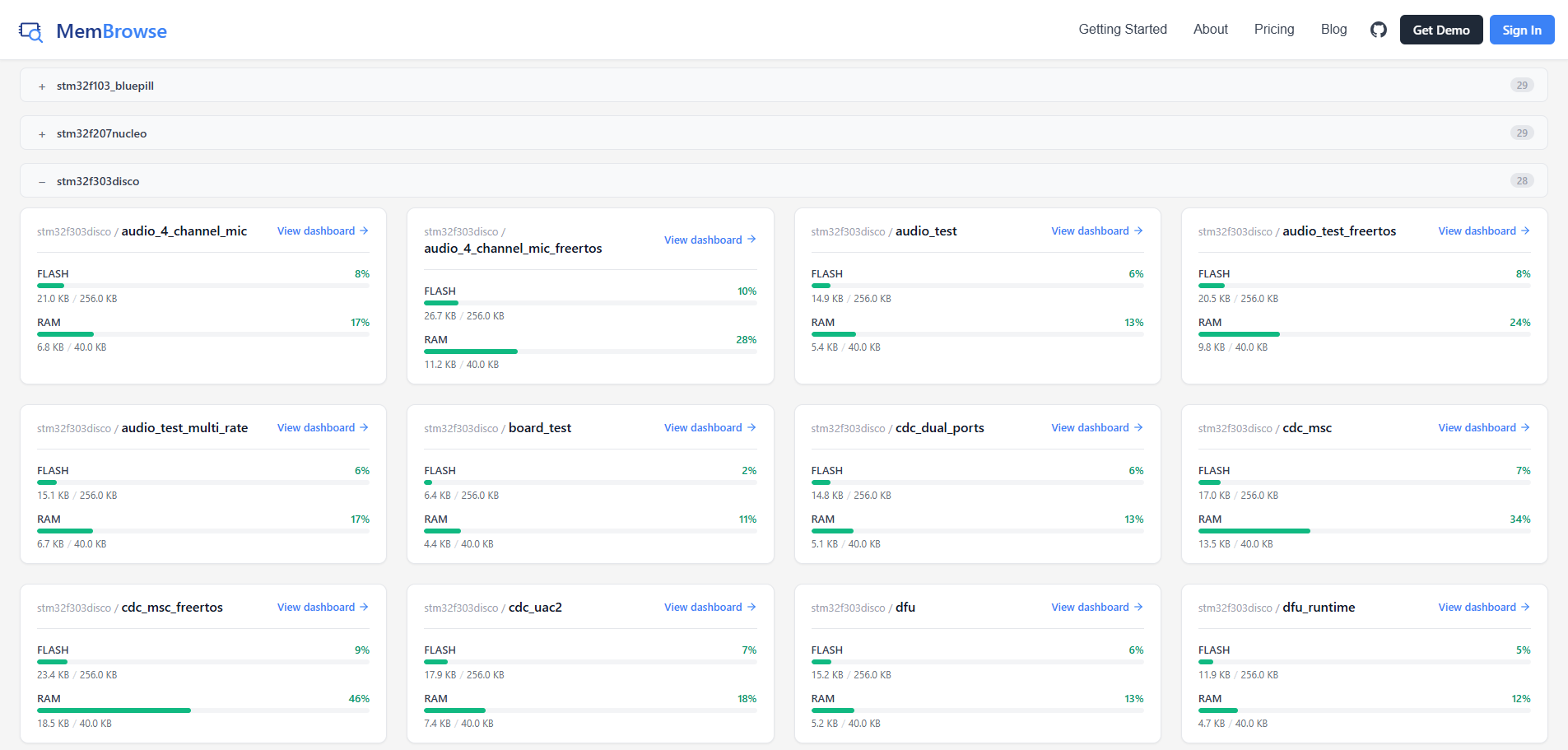
Each target card shows:
- Target name
- Memory health indicators with utilization bars per region
Click a target to open its Target Dashboard with commit history and memory trends.
Target Hierarchy
If your target names use slashes (for example: arm/stm32/hello_world), the cards are displayed in a collapsible hierarchy. This lets you organize targets into groups and expand or collapse them as needed.
Adding Targets
Targets are created automatically when you upload your first report for a new target name. There is no manual target creation step.